Welcome! If you've received a promo code for TimePassages, here's everything you need to know to redeem it.
How to redeem
If your code offers a percentage discount on a subscription:
This type of code is available on iPhone and our website. Due to Google Play limitations, Android users will need to redeem through our website instead. Don't worry, your subscription will still work in the Android app once activated.
- iPhone: Click on the Redeem Code button from the Upgrade Subscriptions screen in the app. The screenshots below show exactly where to find it.
- Android users: Head to astrograph.com/cloud and select a paid plan (Pro Monthly or Pro Annual). The promo code field only appears after you've selected a paid plan. Enter your code and select Apply. Your access will be available in the Android app once your account is set up.
- Desktop software: Redeem at astrograph.com during checkout.
If your code offers a free trial or a fixed benefit (not a percentage discount):
This type of code is available on both iPhone and Android.
- iPhone: Click on the Redeem Code button from the Upgrade Subscriptions screen in the app.
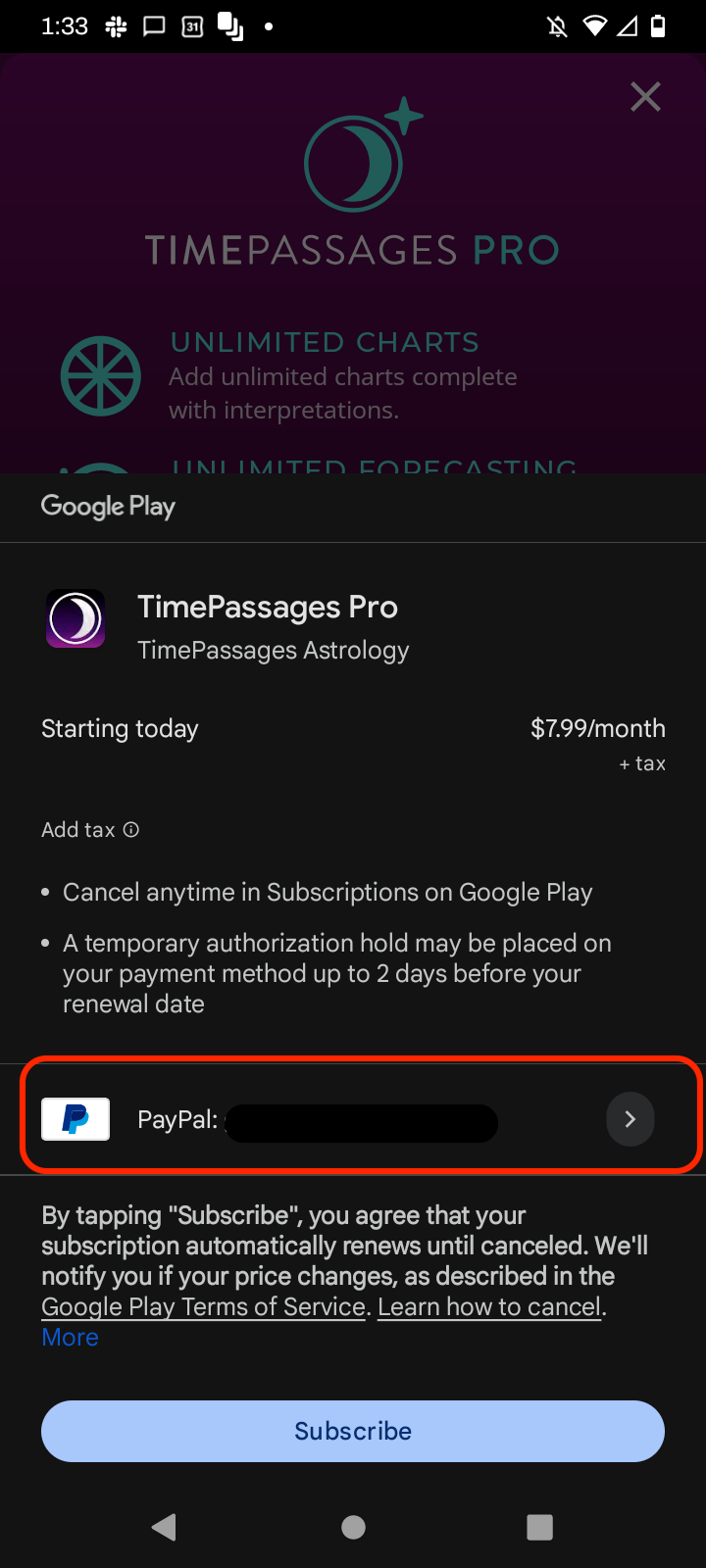
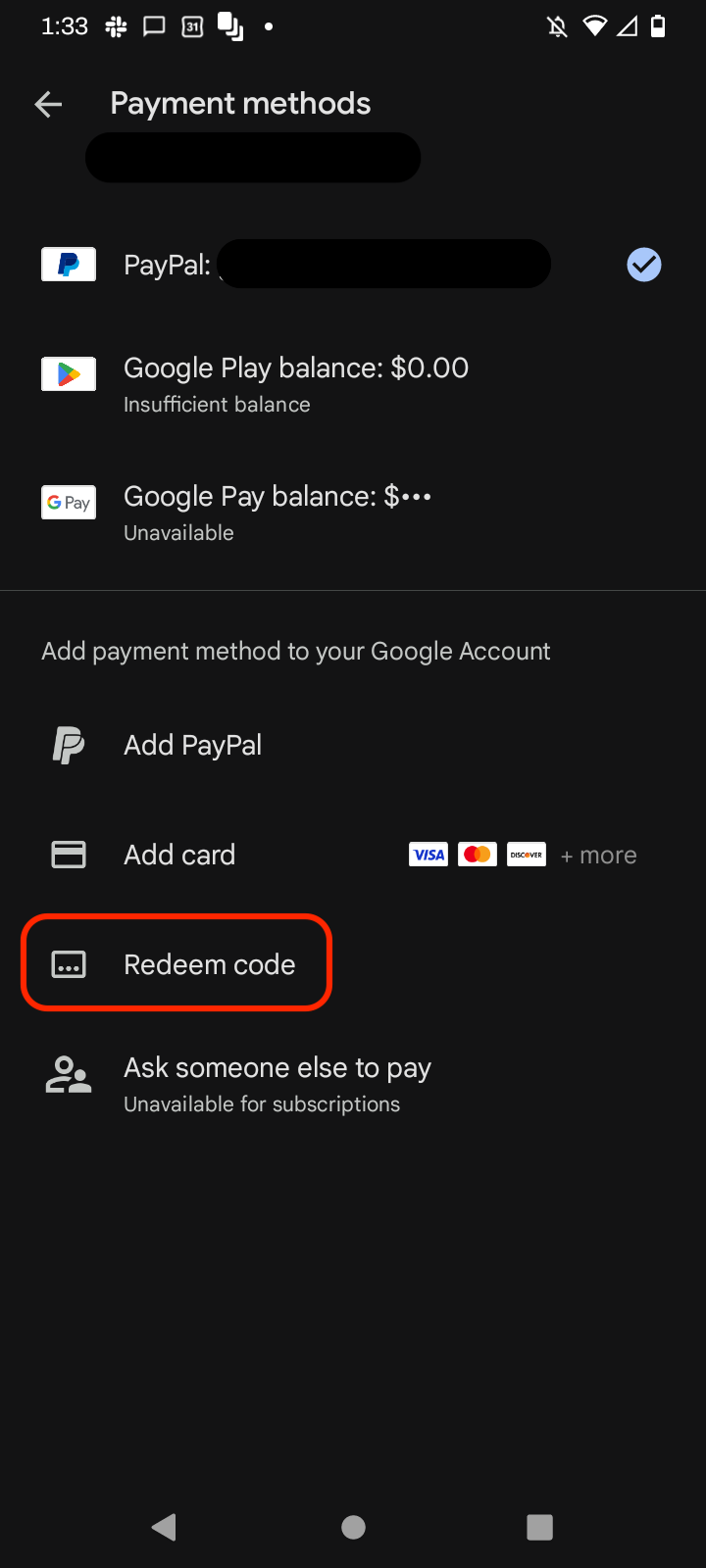
- Android: To redeem a promo code on Android: tap the payment method field during subscription checkout, then select "Redeem code" from the list of payment options that appears.
- The screenshots below show exactly where to find the Redeem Code button in each app.
Not sure which type of code you have? Check the details shared with you when you received it, or contact our support team and we can confirm.
Eligibility
These codes are available to new and expired subscribers only. If you currently have an active TimePassages subscription, the code won't apply, but feel free to contact our support team if you have questions about your account.
Need help?
If you run into any trouble redeeming your code, create a ticket and we'll assist you.
iPhone: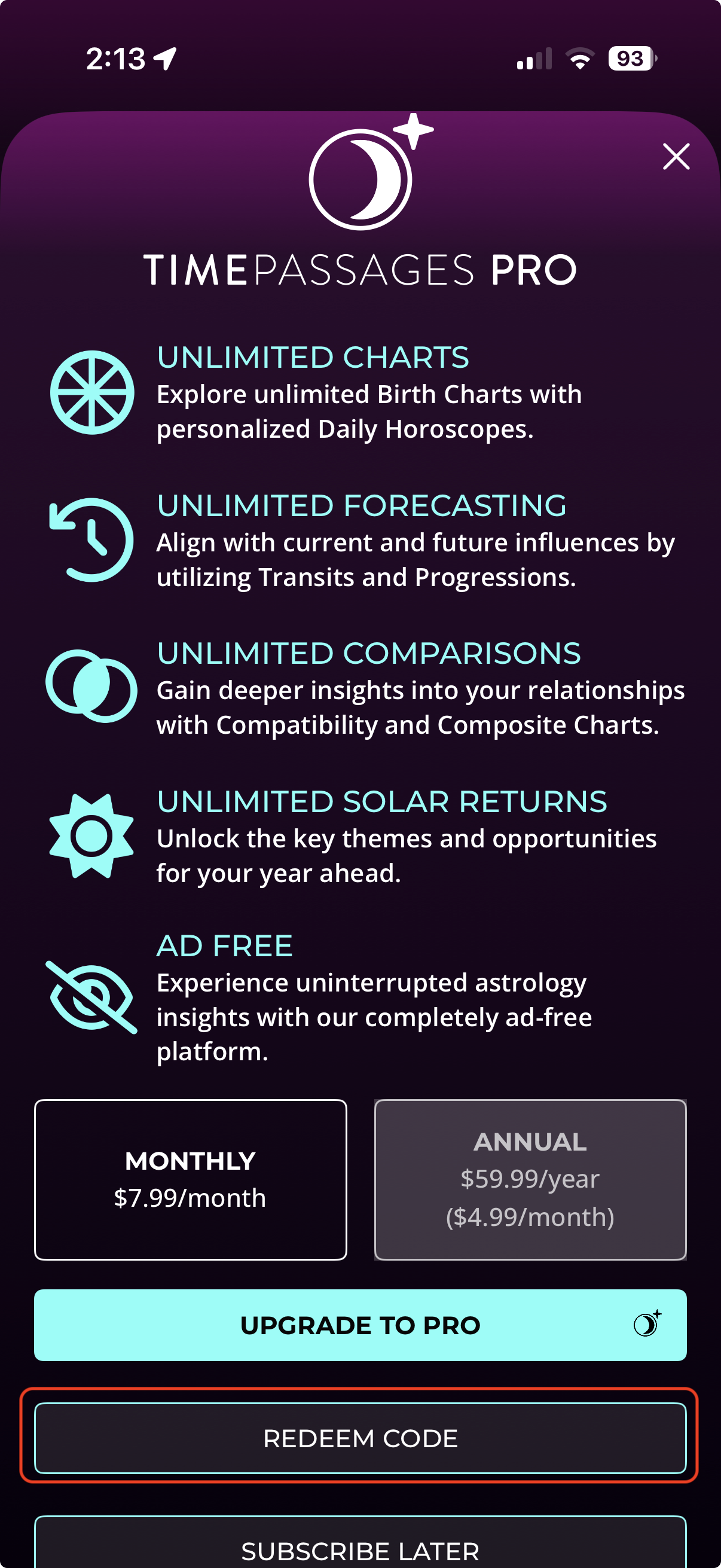
Android:
Was this article helpful?
That’s Great!
Thank you for your feedback
Sorry! We couldn't be helpful
Thank you for your feedback
Feedback sent
We appreciate your effort and will try to fix the article